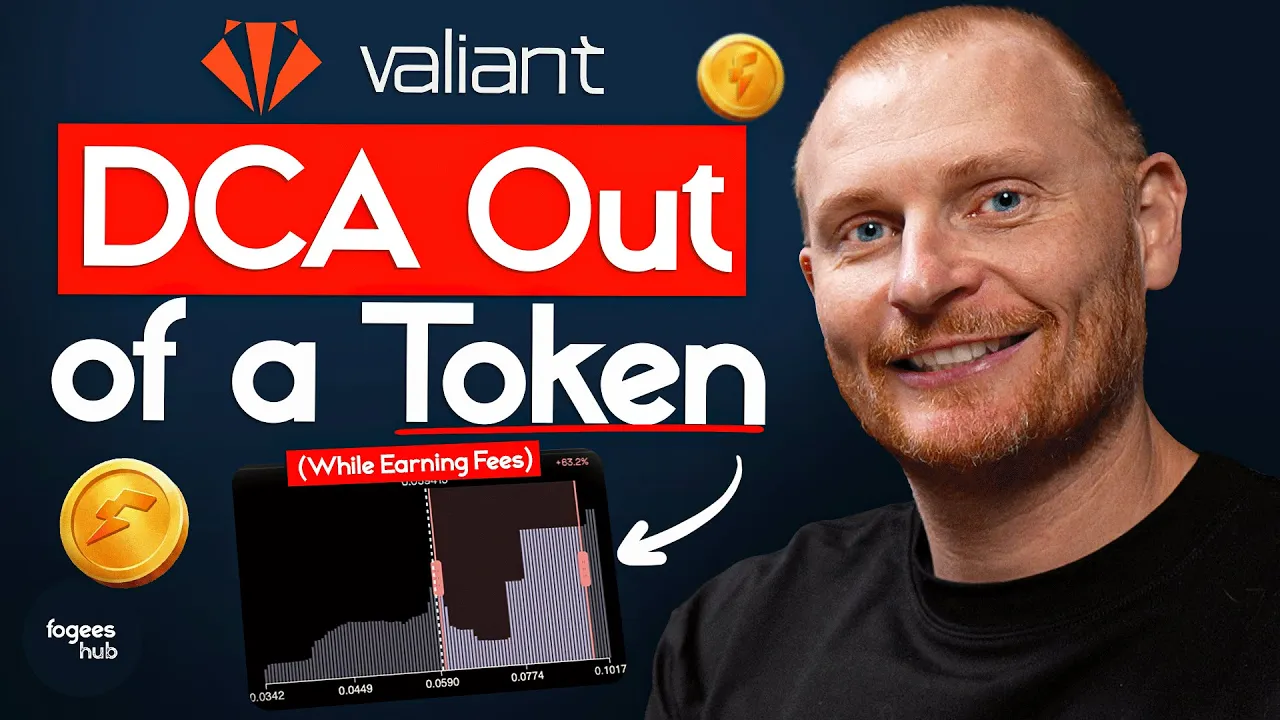
Dollar Cost Average | Selling on Fogo for Beginners
Jan 20, 2026
Quick heads-up before we begin: Fogo’s Season 2 is live (future Airdrop). Join here, then let’s dive in
Most people exit a token with one market sell, this blog shows how to sell gradually, at higher prices, while collecting trading fees the whole way.
What is DCA Selling?
Dollar cost average selling means gradually exiting a position at progressively higher prices rather than selling all at once. On Valiant, you can set up a custom liquidity position that automatically sells your tokens as the price rises, while earning trading fees in the process.
Before diving in, make sure you understand impermanent loss. We have a separate blog covering this concept.
Getting Started
Head to valiant and click on Pools. Select the trading pair you want to use (for this example, FOGO/USDC) and click Custom.
Click the toggle to display prices in a more readable format so you can see the current price of FOGO clearly.
Understanding the Liquidity Chart
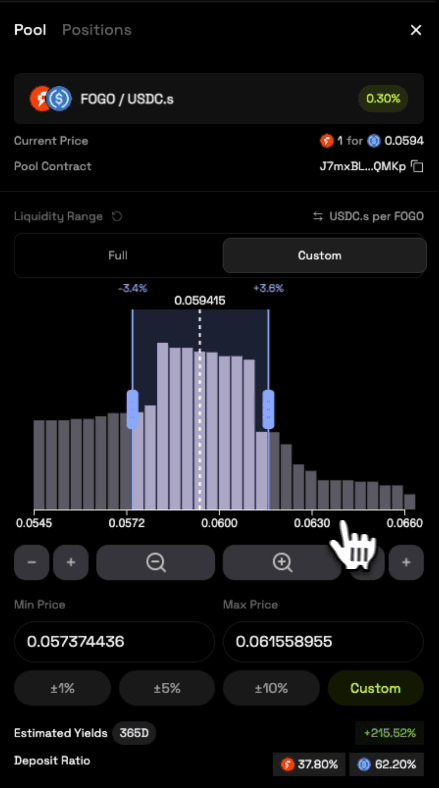
When you zoom out on the chart, you'll see individual bars representing liquidity buckets. Each bar shows how many tokens are available at that price level.
If FOGO is sitting in a bucket and the price moves through it, that FOGO gets replaced with USDC (sold to buyers). This is how your position gradually converts as the price rises.
Taller bars indicate more liquidity concentrated at that price level. More liquidity means more trading activity is needed for price to move through that range. This can help inform where you set your range.
Setting Up a DCA Sell Position
If you believe the price will go up and want to sell along the way:
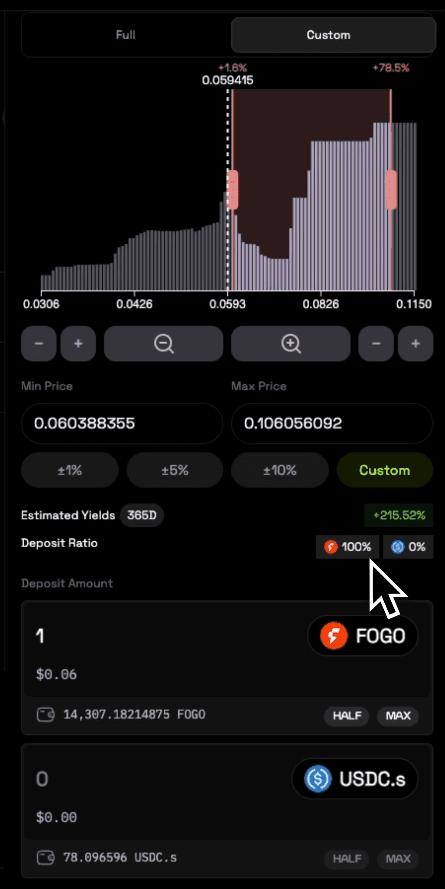
Move the lower slider up so your range starts above the current price
Set the upper slider to your target exit price
Check the deposit ratio at the bottom
The key indicator: you want to see 100% FOGO and 0% USDC. This means you're only depositing FOGO, which will convert to USDC as the price rises through your range.
If you bring the lower slider too close to the current price and see a USDC percentage appear, you'll need to deposit both tokens. Adjust accordingly.
Example Setup
Let's say FOGO is currently at 5.7 cents and you think it could reach 10 cents. You could set your range from just above the current price up to around 10 cents. Then deposit your FOGO (e.g., 3,000 FOGO).
As the price moves up through your range:
Your FOGO gradually sells to buyers
You earn trading fees on each transaction
By the time price reaches the top of your range, you'll have converted entirely to USDC
Managing Your Position
After creating your position, go to Positions to view it. Click the toggle to see a visual representation of your range.
If your position shows as "out of range" (highlighted in red), it means the current price is below your selling range. You won't earn any yield until the price moves into your range.
Once the price enters your range:
You'll start earning trading fees
Your FOGO will progressively convert to USDC
The estimated yield percentage will update
Withdrawing and Claiming Fees
To withdraw, click on your position and use the slider to select how much to remove, or click Max to withdraw everything.
To collect earned fees, click Claim Yield. This harvests fees from all your positions. You can then reinvest those fees, create a new position, or swap them for other tokens.
When to Use This Strategy
This approach works well when:
You want to take profits but don't want to sell everything at once
You believe the price will rise and want to capture gains at multiple levels
You want to earn trading fees while exiting your position
This strategy requires some understanding of price ranges and technical analysis. It's more complex than a simple swap, but it's one of the most effective ways to exit a position while maximizing fee earnings.
Help us on our mission
If this information was useful, you can support us by staking with our validator. Earn yield while helping us produce more content like this for the community.
And… don't miss Season 2 Airdrop. Sign up here and start earning flames.
Want a visual walkthrough? The video below covers this topic in detail.
Need Help with Fogo?
We've created a library of different tutorials on navigating the Fogo blockchain. Be sure to check out our blog posts for more.
In addition, we have a YouTube playlist showing this tutorial and many others.
Disclaimer: This content is for educational purposes only and is not financial advice. Always do your own research before making any investment decisions.